

Assets
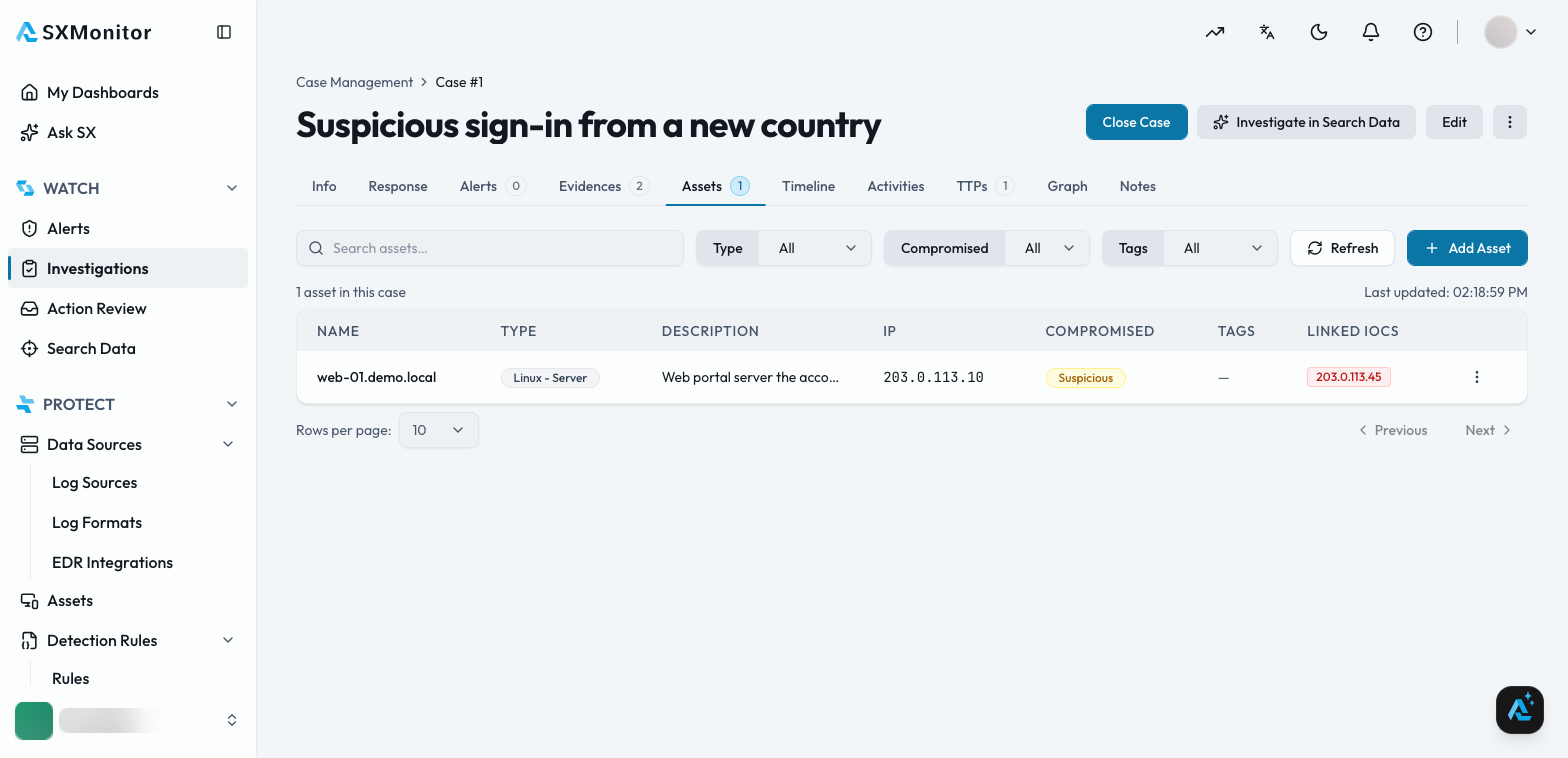
The Assets tab of a case — the systems involved in the incident and the IOCs seen on them.
The Assets tab of a case lists the systems involved in the incident; the number on the tab is how many are recorded. To open it, open a case from Watch › Investigations and click Assets. The rest of the case page is described in Inside a case.
These are the systems recorded on this case. The endpoints your EDR reports are listed separately, under Assets in Protect.
The tab shows each asset's Type, IP, whether it is Compromised, its Tags and the Linked IOCs seen on it. Narrow the list with the Type, Compromised and Tags filters.
Add an asset
Click Add Asset and enter the Name, Type (such as Linux - Server or Cloud resource), Description, IP address, Compromise status (Unknown, Not compromised, Suspicious or Compromised), Tags and Related IOCs.
Asset details
Click an asset to open Asset Detail: everything above, its Hostname and Domain when it has them, and when it was added and last updated. Edit or delete it there, or with ⋮ at the end of its row.
A customer view shows this tab too — see What customers see.