

Activities
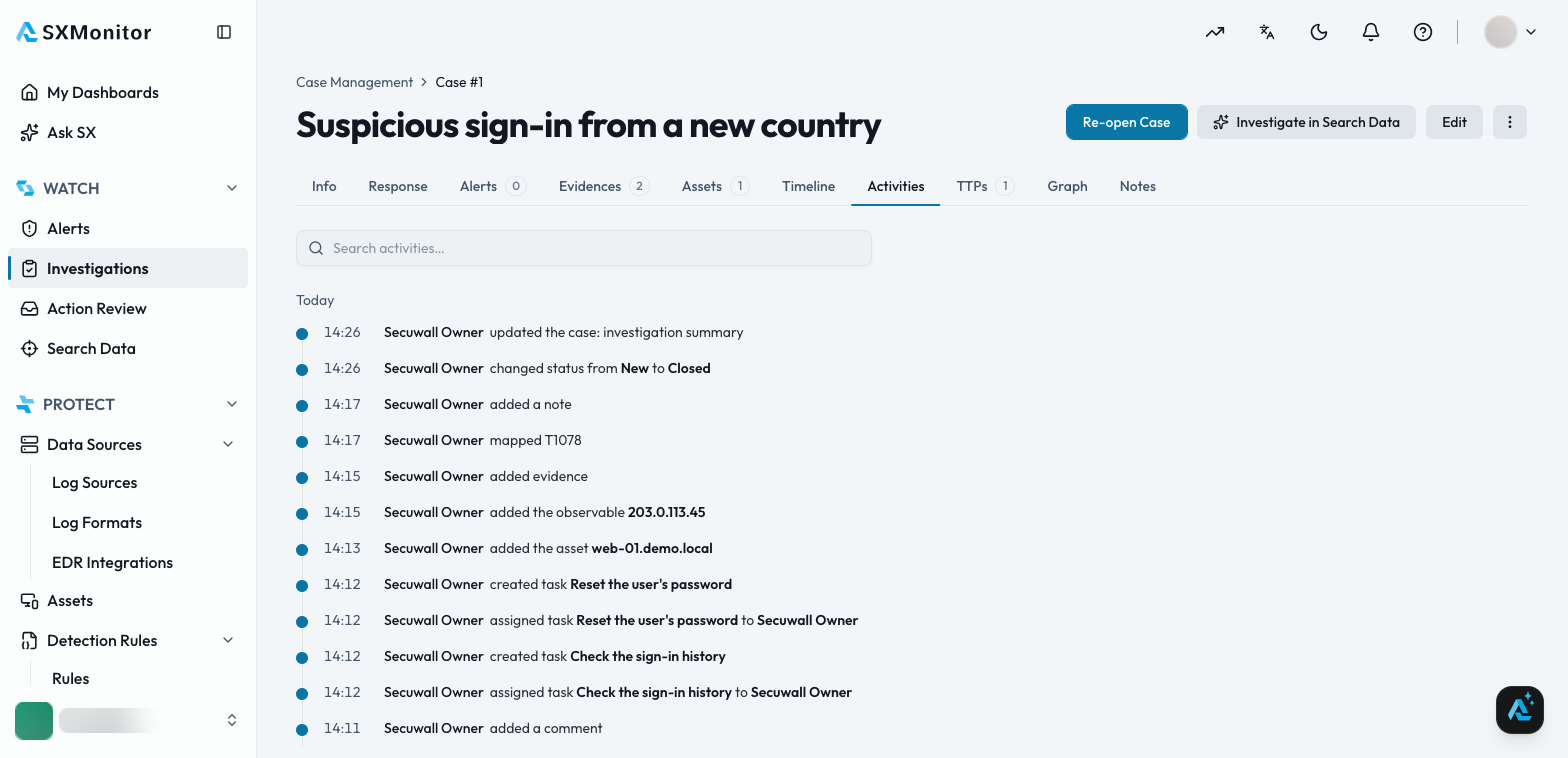
The Activities tab of a case — its change history, who did what and when, newest first.
The Activities tab is a case's change history: who did what, and when, newest first. To open it, open a case from Watch › Investigations and click Activities. The rest of the case page is described in Inside a case.
Entries name what changed — the fields edited, the observable values and the asset names — for example updated the case: investigation summary or added the asset web-01.demo.local. Search matches names, tags, values and file names.
Next
- Map the attacker's techniques to MITRE ATT&CK in TTPs.